Capabilities of Microsoft Security Solutions
Introduction
This lab explores key Microsoft security solutions including Network Security Groups (NSGs), Microsoft Defender for Cloud, Microsoft Sentinel, and Microsoft Defender for Cloud Apps. Through hands-on configuration and testing, I demonstrated how these tools work together to provide comprehensive cloud security across Azure environments.
Objectives
- Configure NSGs to control network traffic
- Deploy and configure Microsoft Defender for Cloud
- Set up Microsoft Sentinel for threat detection
- Explore Microsoft Defender for Cloud Apps capabilities
- Validate security policies and remediation workflows
Prerequisites
- Azure subscription with admin access
- Skillable lab environment
- Familiarity with Azure Portal and security concepts
Walkthrough
Lab 1: Network Security Groups
Task 1: Create NSG and Rules
- Create NSG named NSG-SC900
- Add inbound rule to allow RDP (port 3389) from specific source
- Add outbound rule to block internet traffic
 Creating NSG with RDP rule
Task 2: Associate NSG with Subnet
- Navigate to virtual network
- Select subnet for VM deployment
- Associate NSG-SC900
- Verify association status
 Associating NSG with subnet
Task 3: Test NSG Rules
- Deploy VM in protected subnet
- Test RDP connectivity (should succeed)
- Test outbound internet access (should fail)
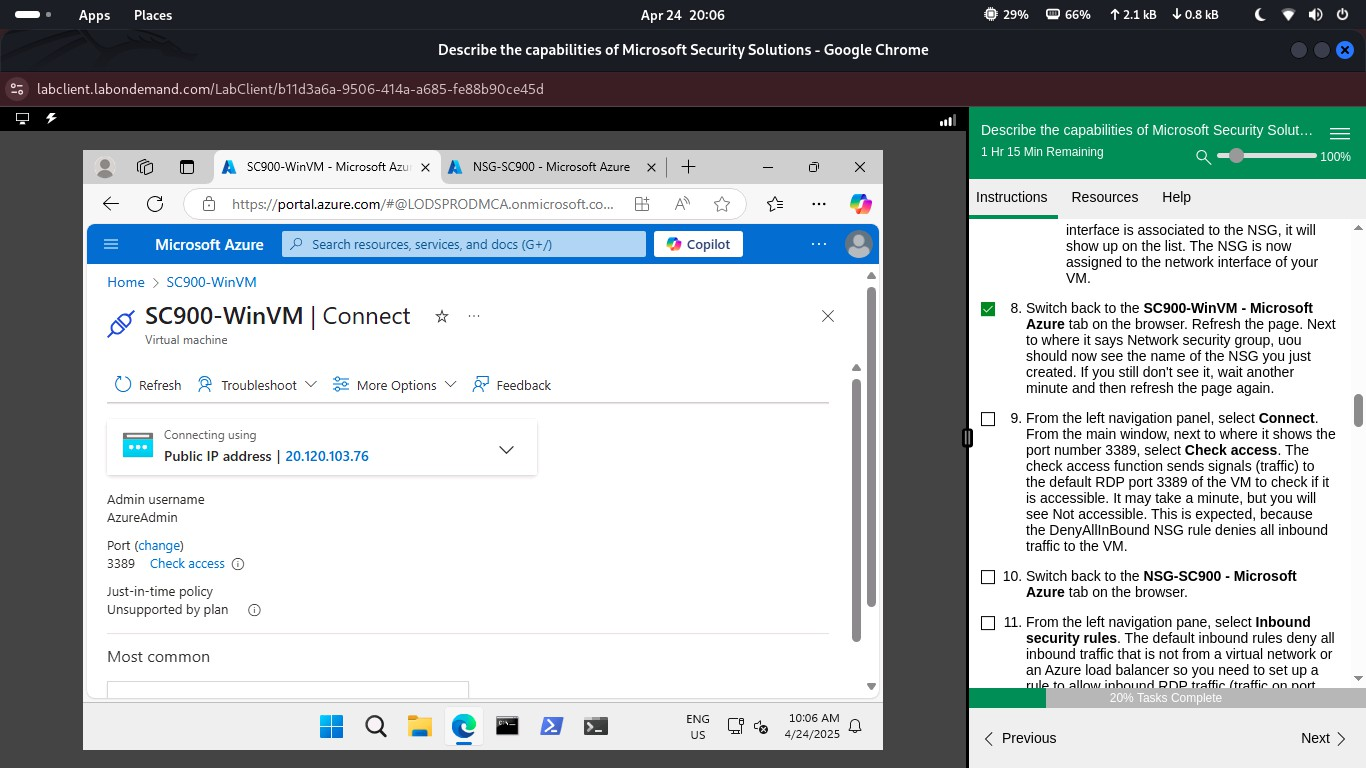 Testing RDP connectivity
 Testing outbound access
Task 4: Block Outbound Internet
- Create an outbound rule in NSG-SC900 to deny traffic to the Internet service tag
- Test by attempting to access
www.bing.comfrom the VM (access should fail)
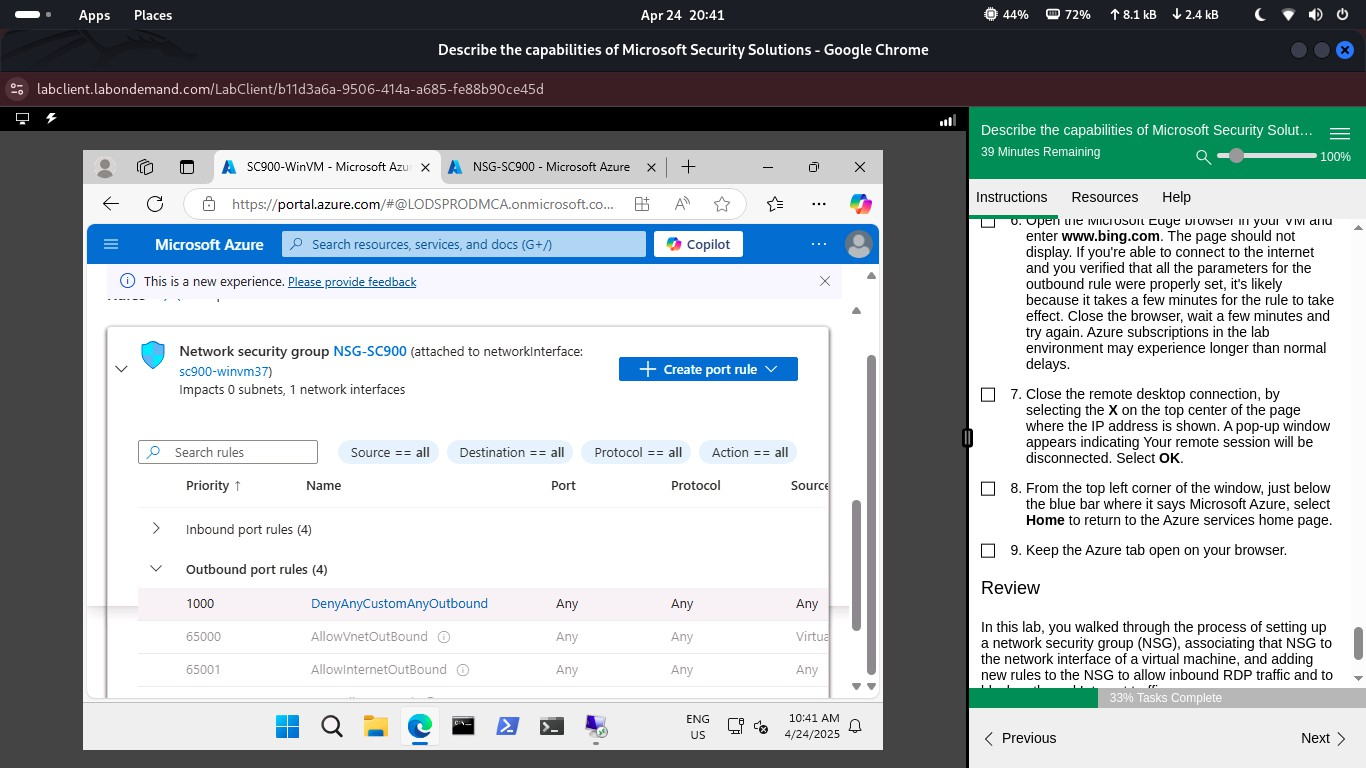 Blocking outbound internet rule
 Testing blocked access
Lab 2: Microsoft Defender for Cloud
Task 1: Explore Defender Dashboard
- Navigate to Microsoft Defender for Cloud in the Azure Portal
- Review the secure score, assessed resources, and security recommendations
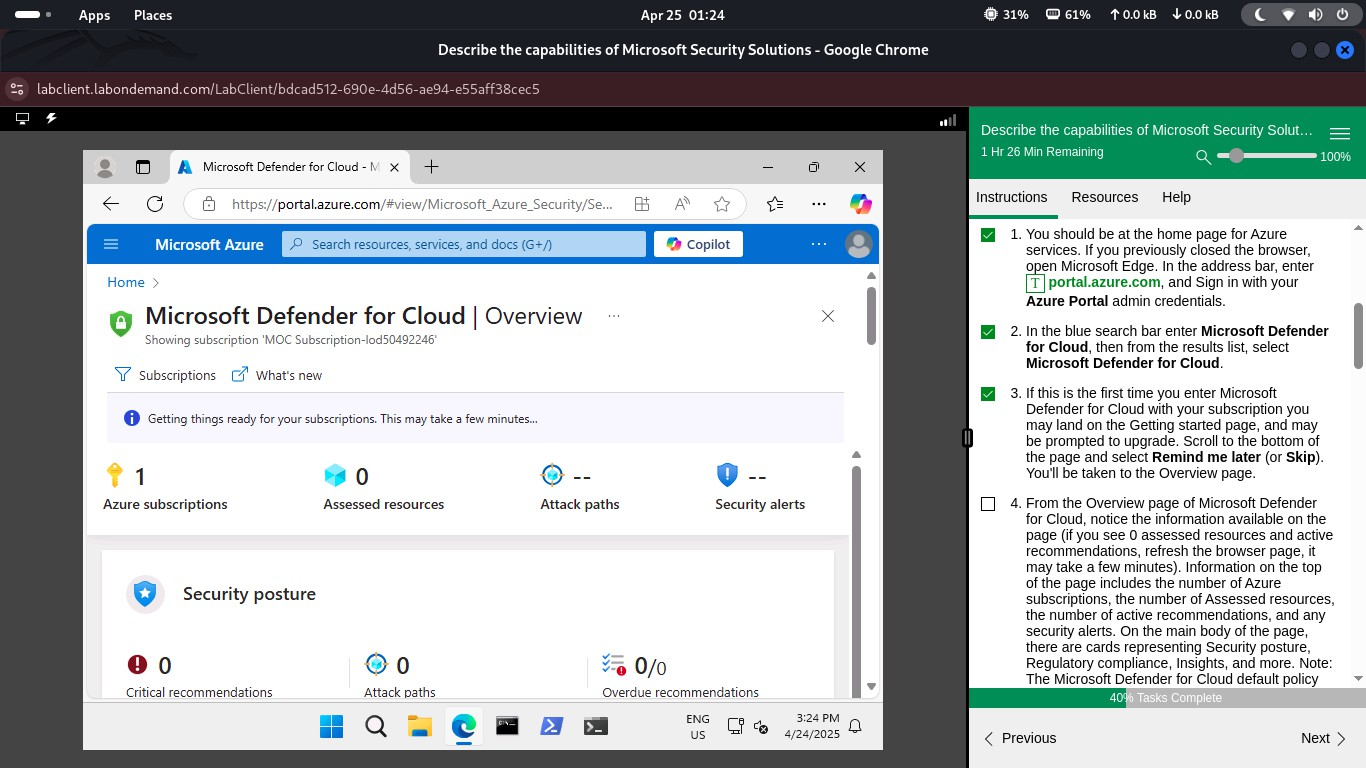 Defender for Cloud dashboard
Task 2: Review Recommendations
- Select a VM resource and view remediation steps for identified security issues
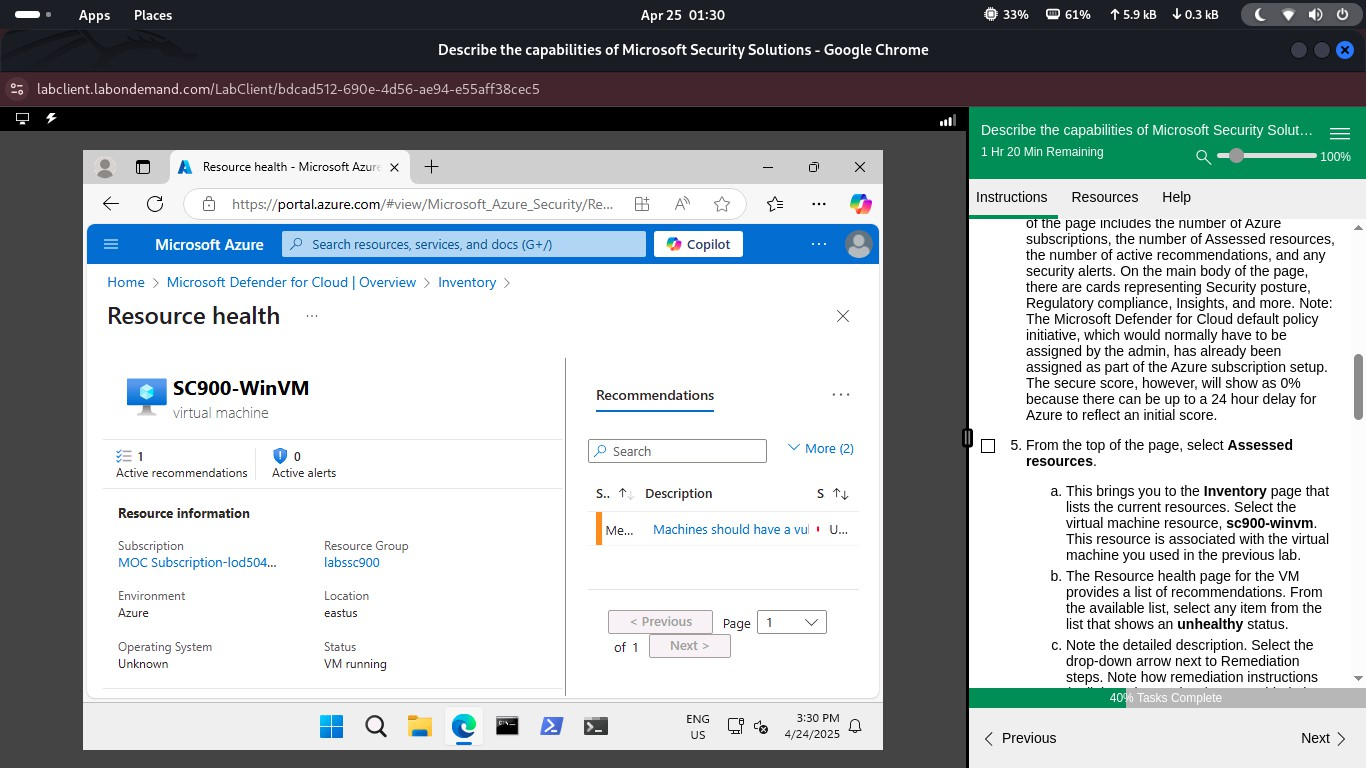 Security recommendations
Task 3: Enable Defender Plans
- Enable the Cloud Security Posture Management (CSPM) and Server protection plans
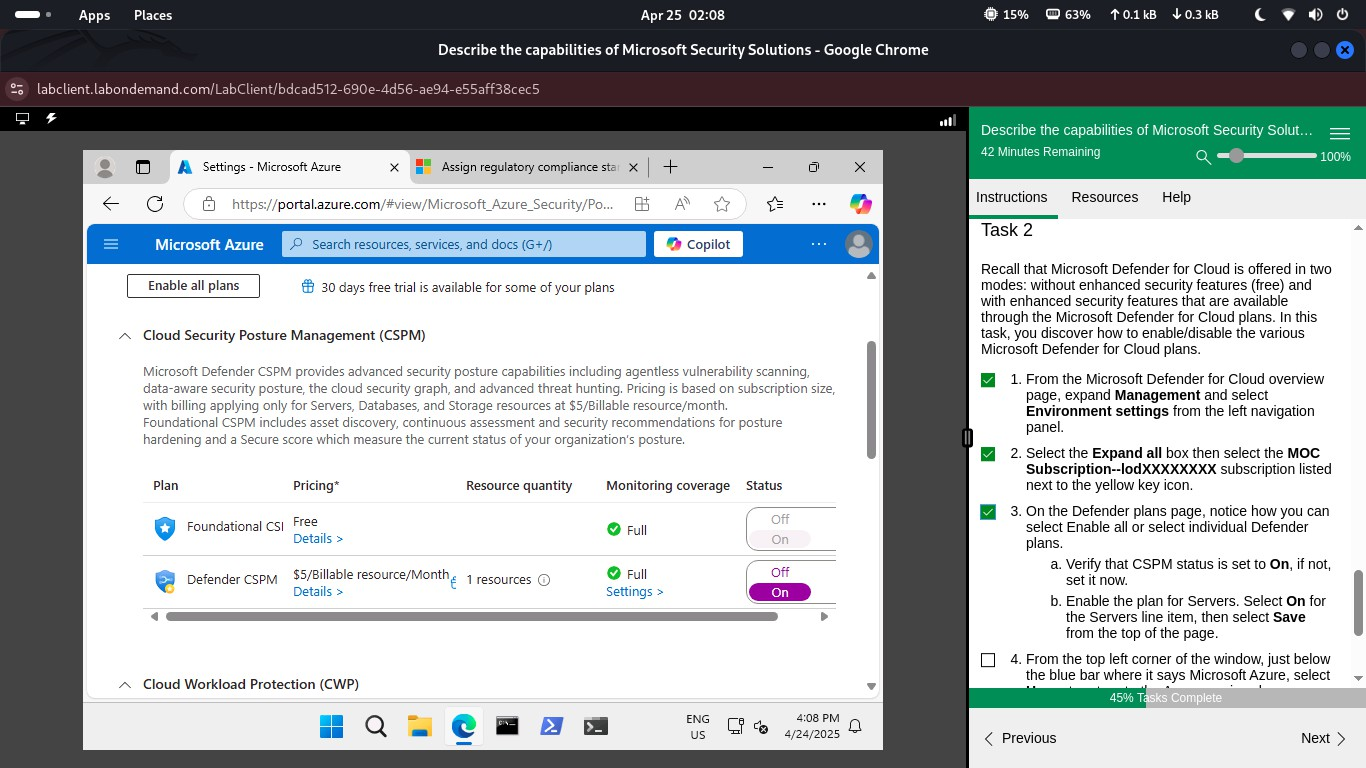 Enabling Defender plans
Lab 3: Microsoft Sentinel
Task 1: Create Sentinel Instance
- Create a Log Analytics workspace named SC900-LogAnalytics-workspace
- Enable Microsoft Sentinel in the workspace
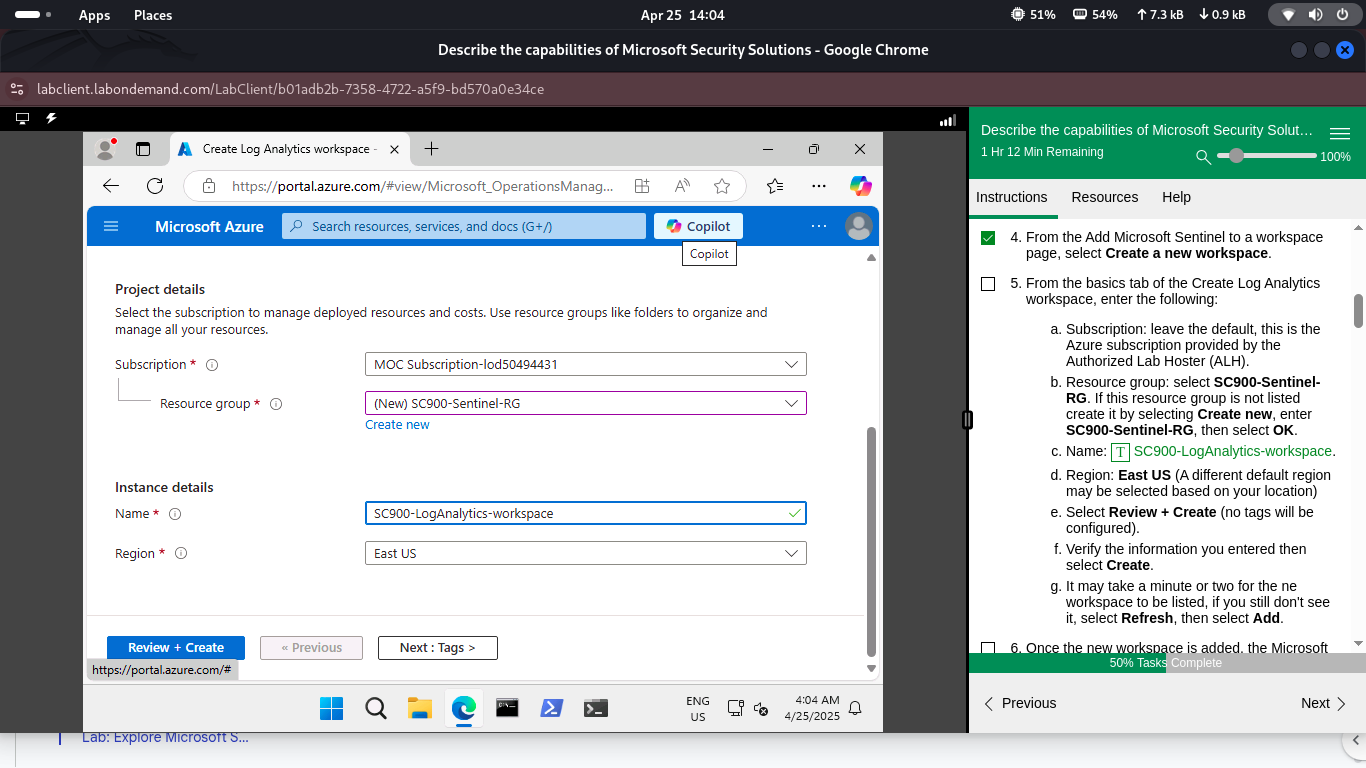 Creating Sentinel instance
Task 2: Assign Roles
- In the resource group SC900-Sentinel-RG, assign built-in Sentinel roles via Identity and Access Management (IAM)
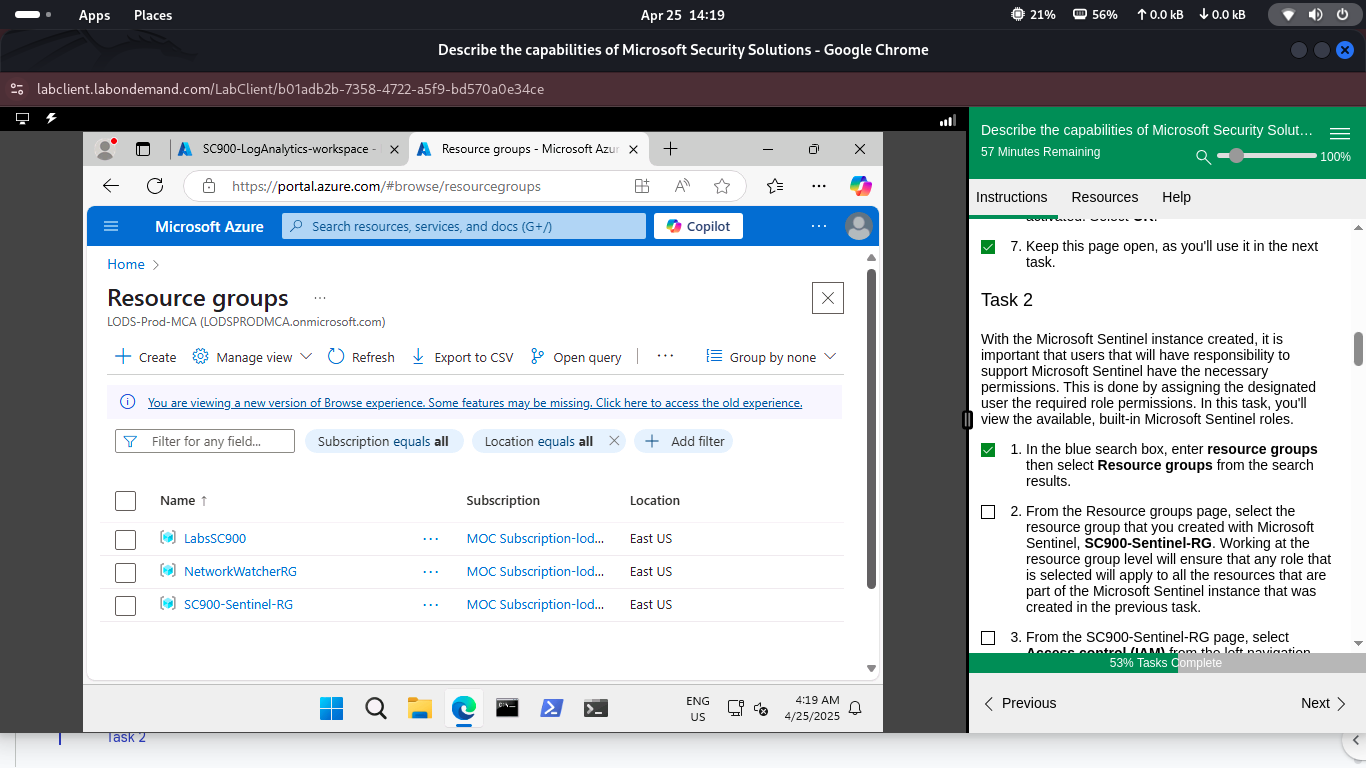 Assigning Sentinel roles
Task 3: Connect Defender for Cloud
- Navigate to Content Hub in Microsoft Sentinel
- Deploy the Defender for Cloud solution and configure the connector
- Verify alert ingestion from Defender for Cloud
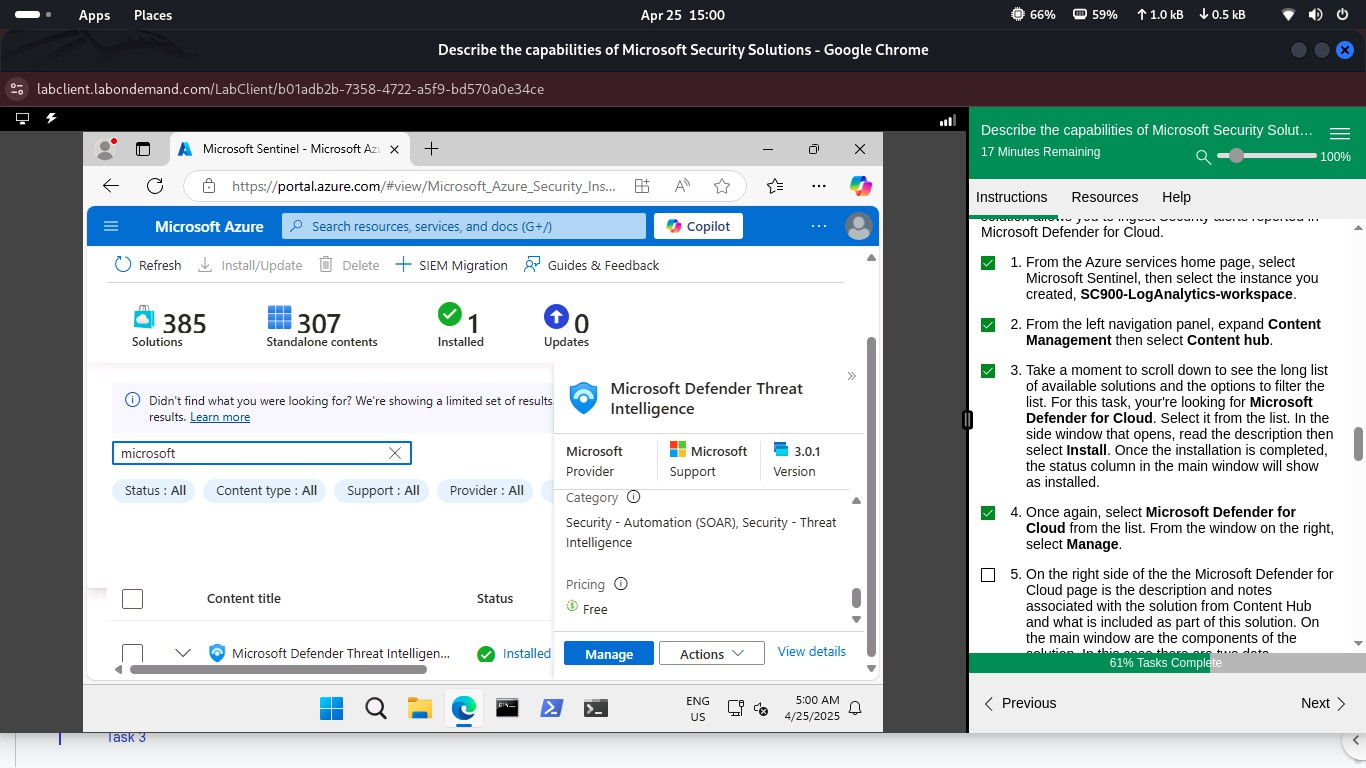 Accessing Content Hub
 Deploying Defender solution
Lab 4: Microsoft Defender for Cloud Apps
Task 1: Explore Cloud Discovery
- Access the Microsoft 365 Defender portal
- Navigate to the Cloud Discovery dashboard to review discovered apps
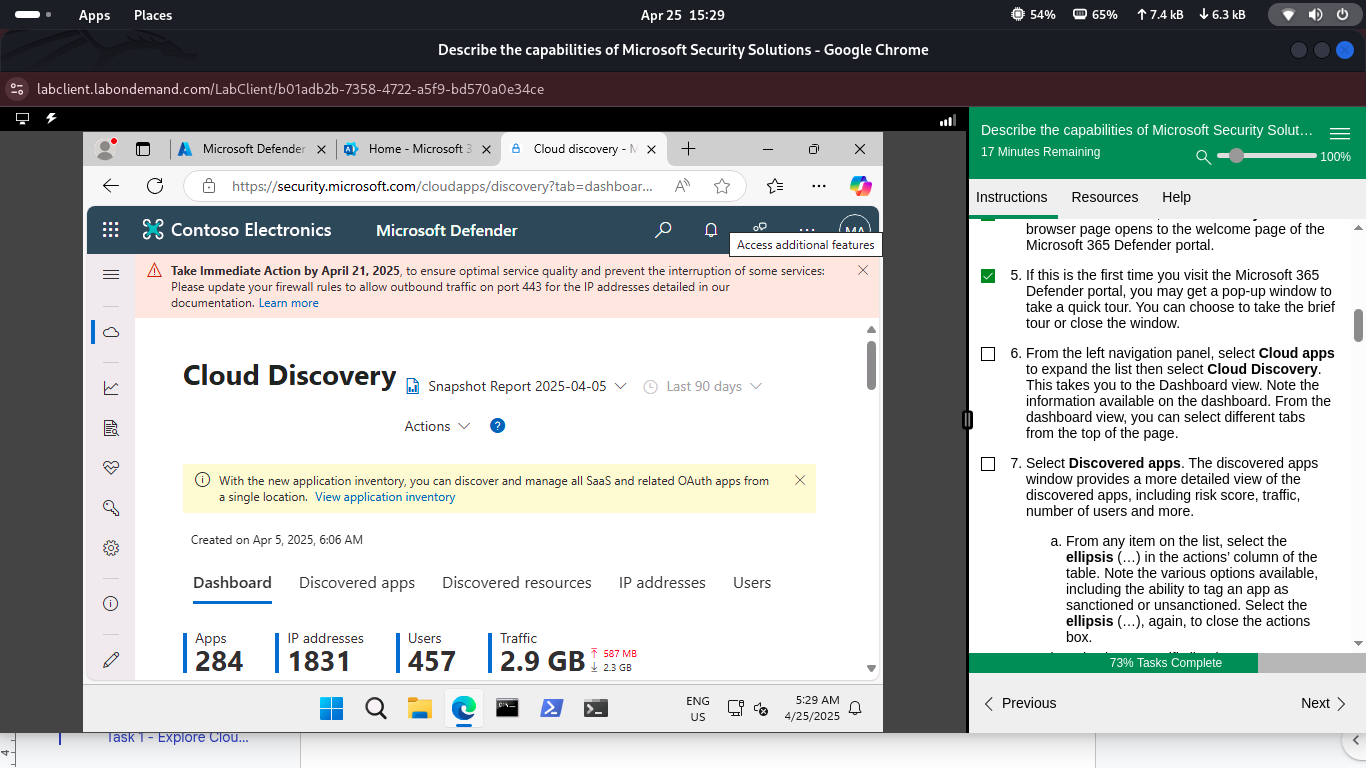 Cloud Discovery dashboard
Task 2: Review App Catalog
- View discovered apps, their risk scores, and usage statistics in the app catalog
 Reviewing app catalog
Task 3: Investigate Findings
- Use investigation tools and filters to analyze app-related findings
 Investigation tools
Task 4: Configure Policies
- Create Cloud Discovery anomaly detection policy
- Set alert thresholds and notification preferences
Summary
This lab successfully demonstrated Microsoft’s comprehensive security solutions. NSGs provided network-level protection, Defender for Cloud assessed security posture, Sentinel enabled threat detection, and Defender for Cloud Apps monitored cloud application risks.